Make QuickBooks Online usable again
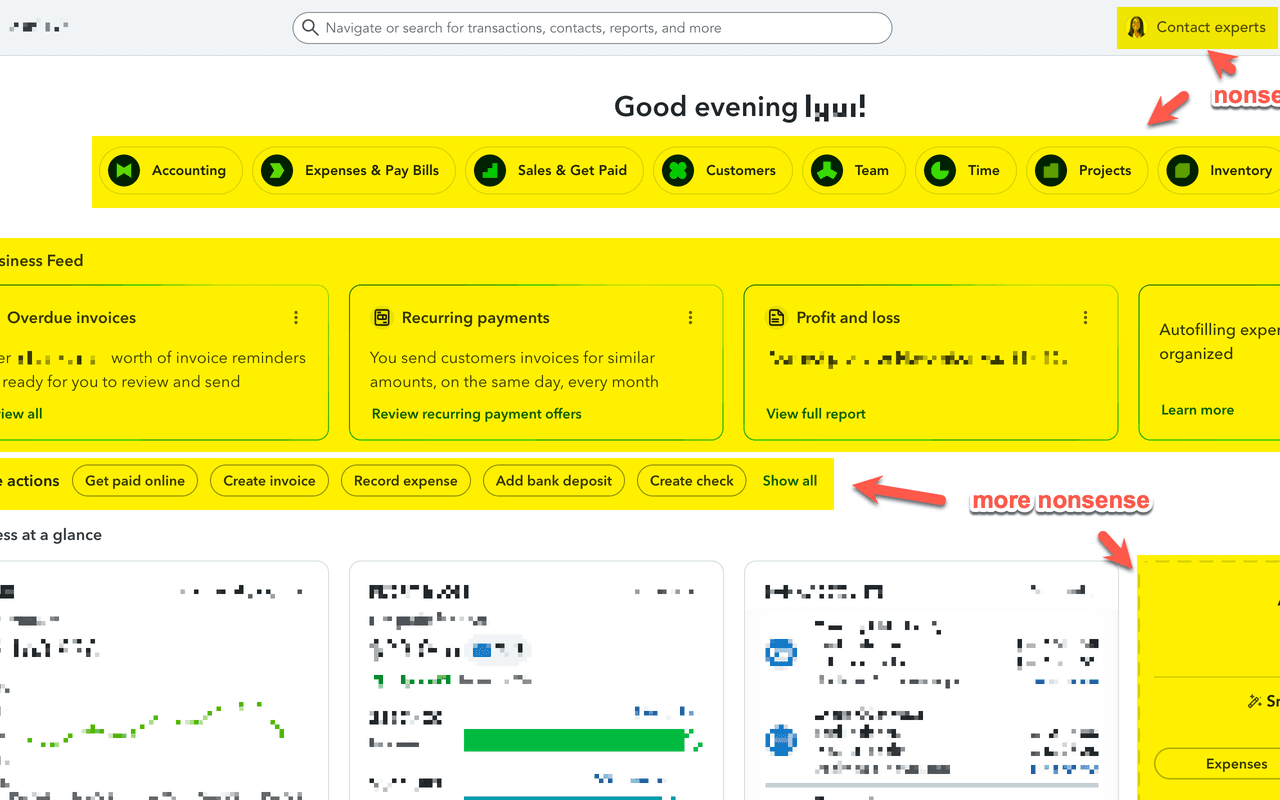
Fix Nonsense is a Chrome extension that hides what QuickBooks Online puts between you and your books:
- Bill Pay and Payroll promos
- “How likely are you to recommend QuickBooks?”
- The Intuit Intelligence sidebar
- “Try for free” expert nudges
- Business Feed and Suggestions for you
Free for 1 fix. It only changes what you see; it never reads or edits your books. All 13 QBO fixes
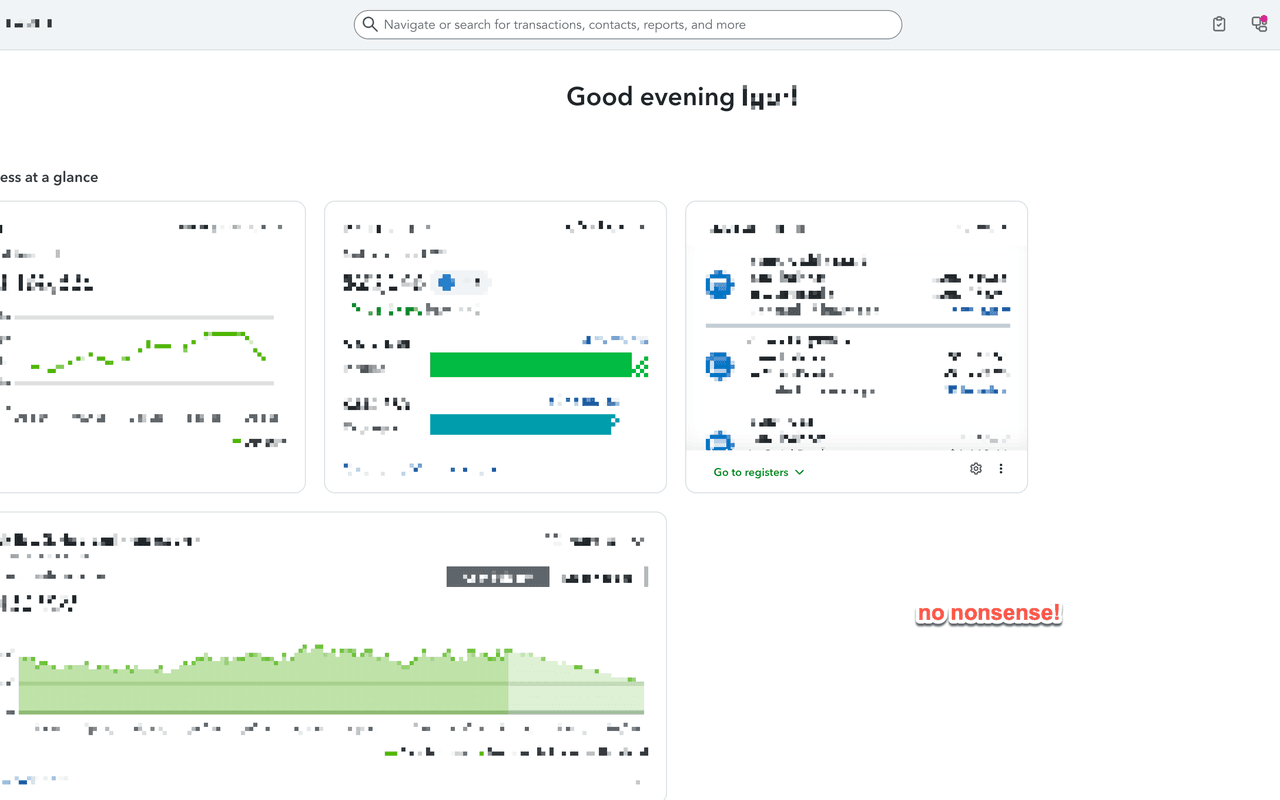
Same dashboard, before and after
Why this exists
I run a small business and I have to use QuickBooks Online. I was losing my mind over the upsells, the widgets covering most of my screen and an AI assistant I couldn't dismiss or turn off.
There's no good alternative to QBO, so I rage-built a little tool to clean it up. Now I can do my books without the noise, and so can you.
Igor Belagorudsky, founder
“best extension ever. takes QBO from painful to tolerable. ten stars!!”
The QuickBooks Online nonsense we remove
You pay for QBO every month and it still treats your screen like ad space. Turn off what you don't want, keep what you do.
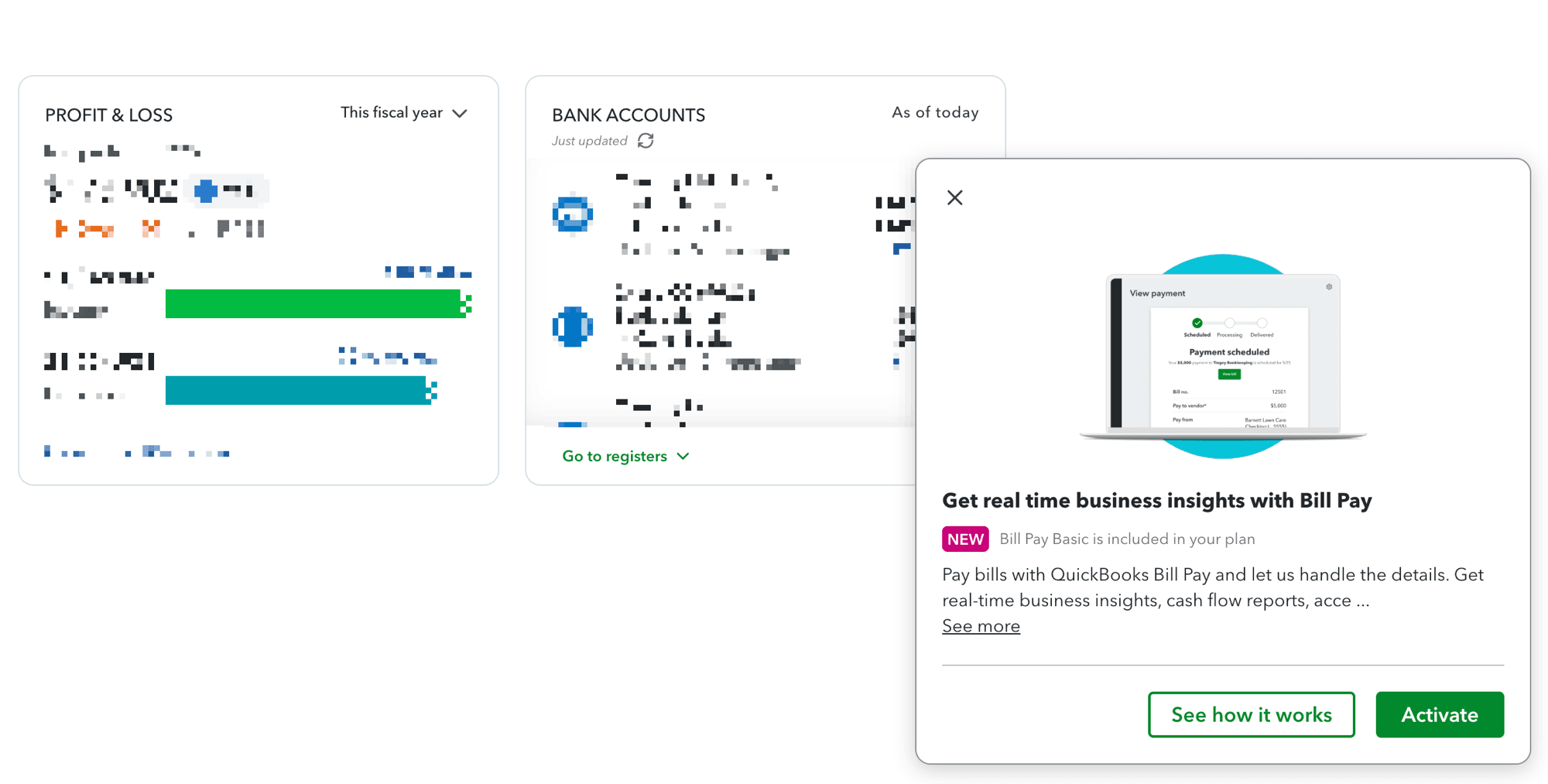
Upsell popups
No more Bill Pay, Payments and Payroll promos sliding up from the corner while you work.
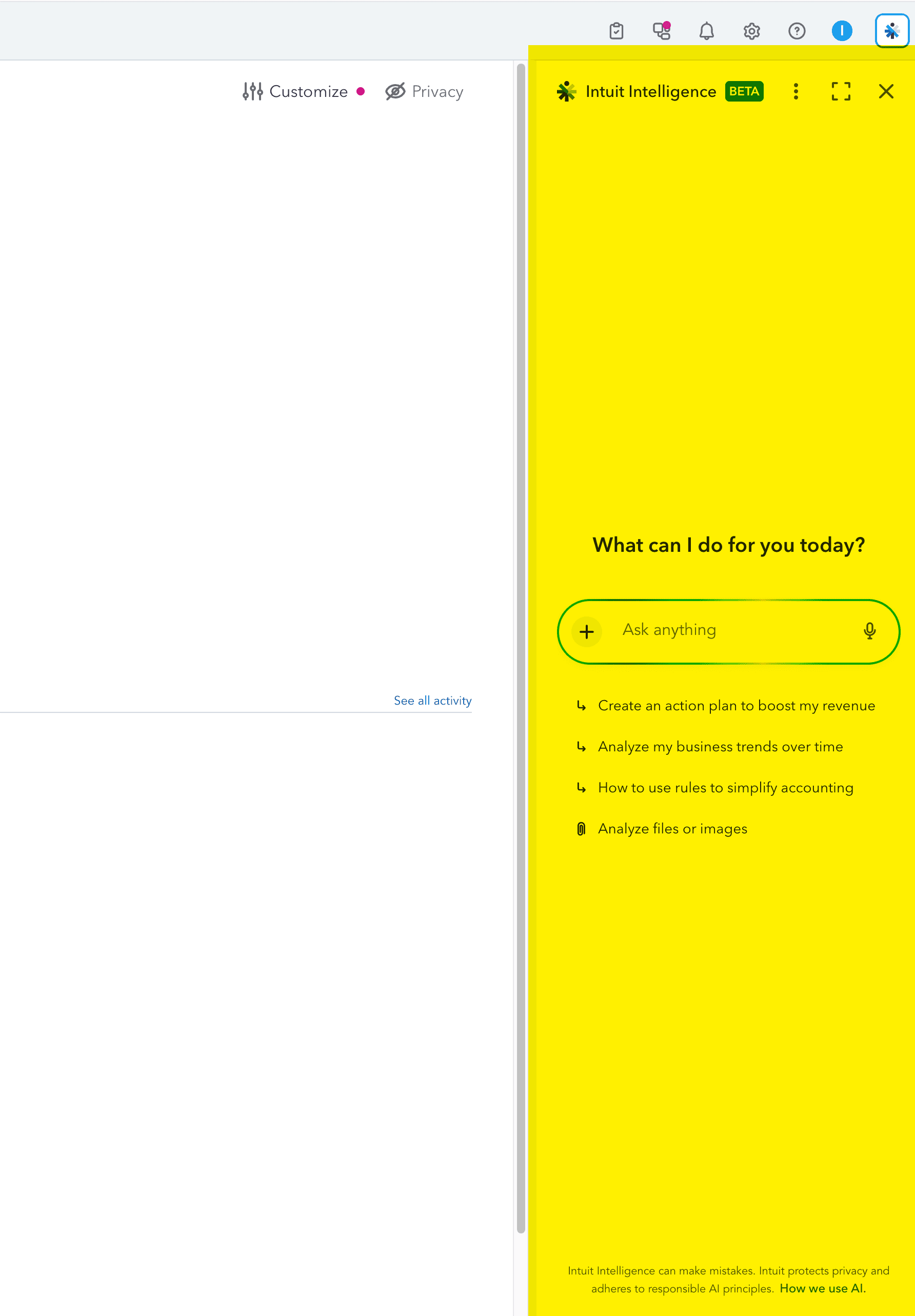
The AI sidebar
Hide the Intuit Intelligence assistant you can't turn off and get your screen back.
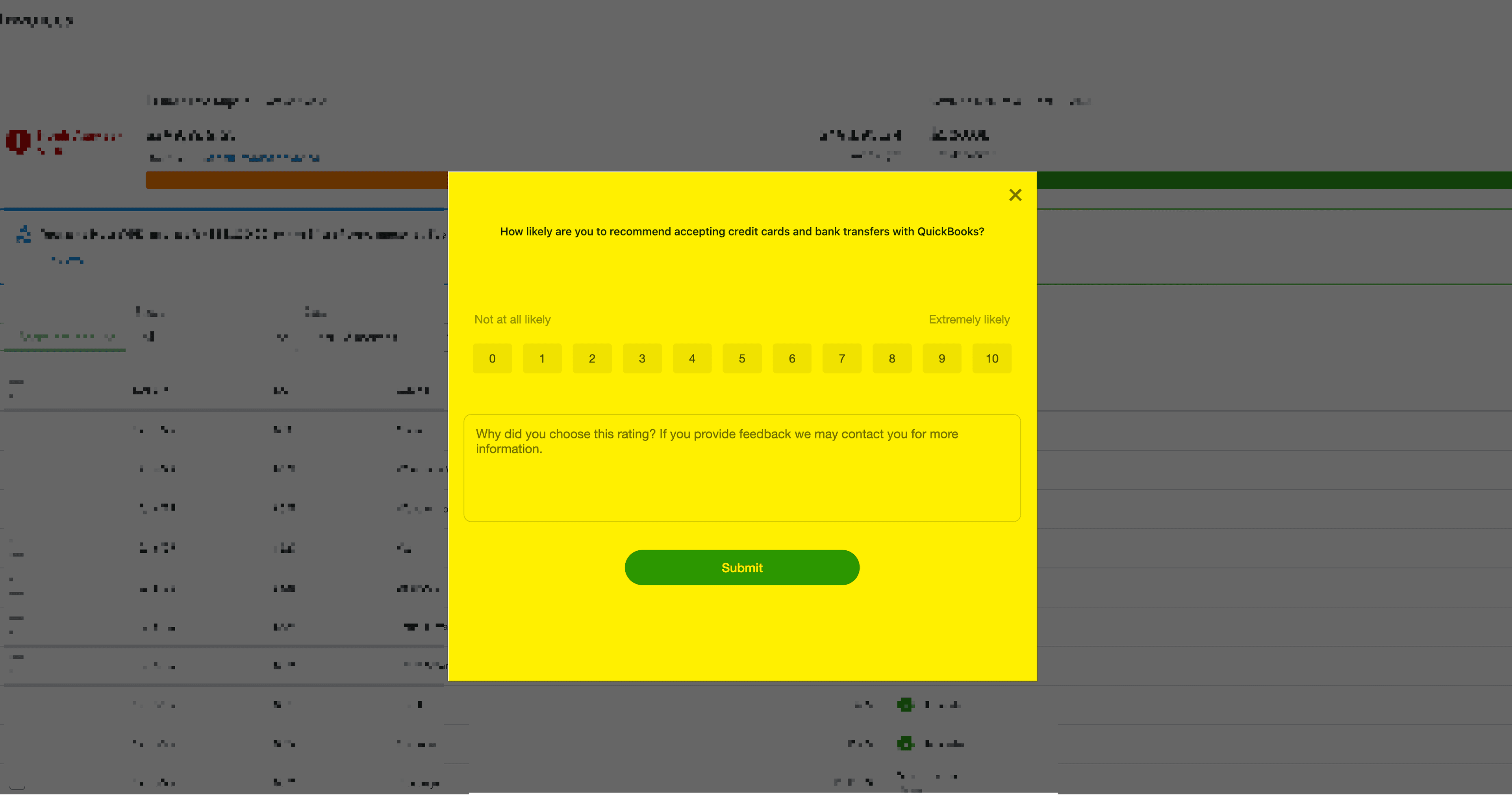
Survey interruptions
Stop the "How likely are you to recommend QuickBooks?" prompts mid-reconciliation.
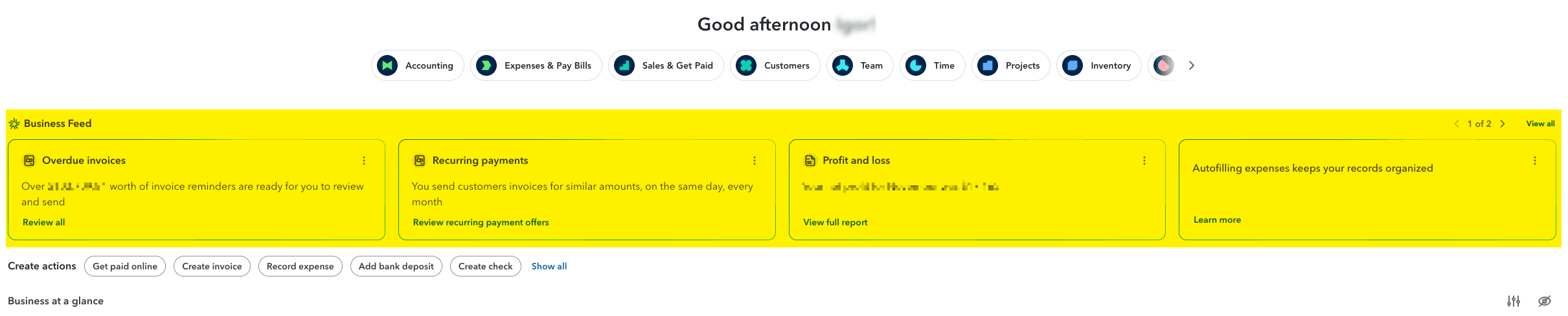
Dashboard clutter
Remove the Business Feed, carousel, widget suggestions and Create Actions you never use.
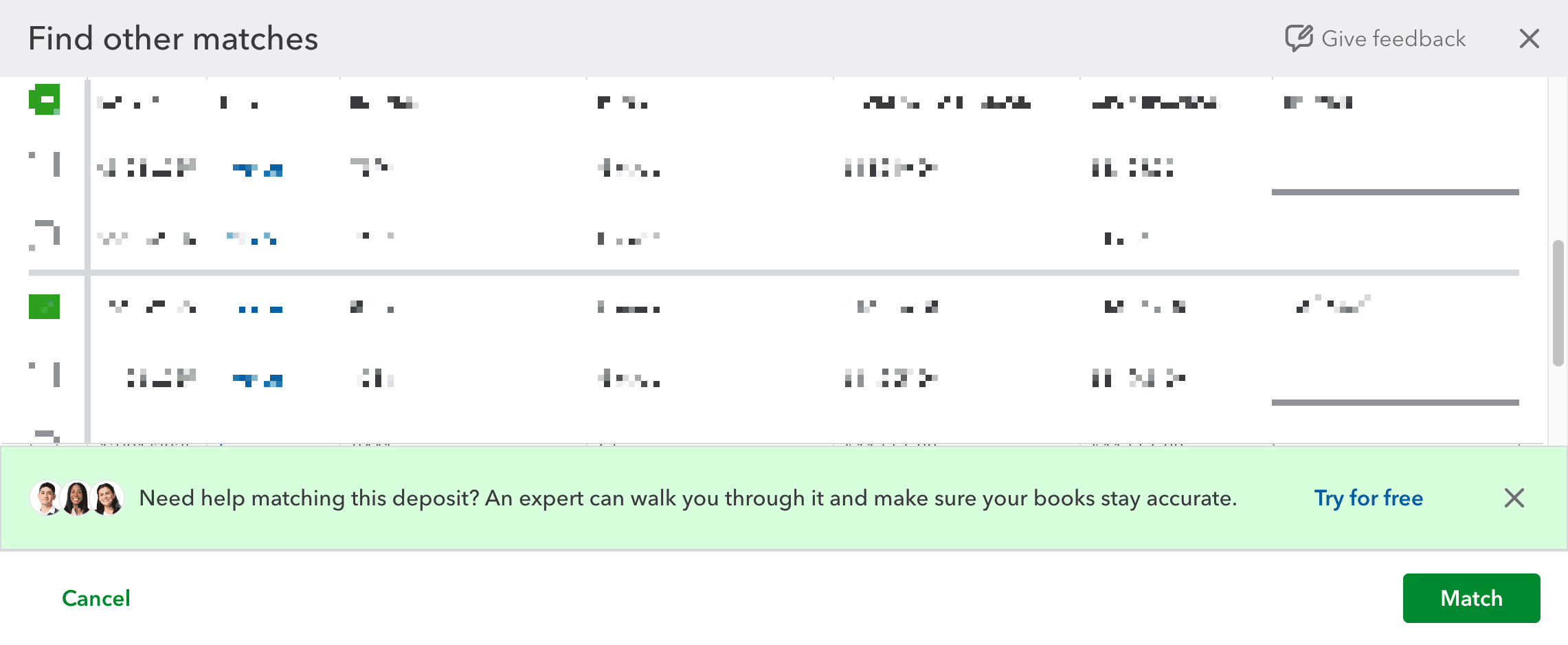
Expert nudges
Hide the "Try for free" QuickBooks Live nudges and the Contact Experts button.
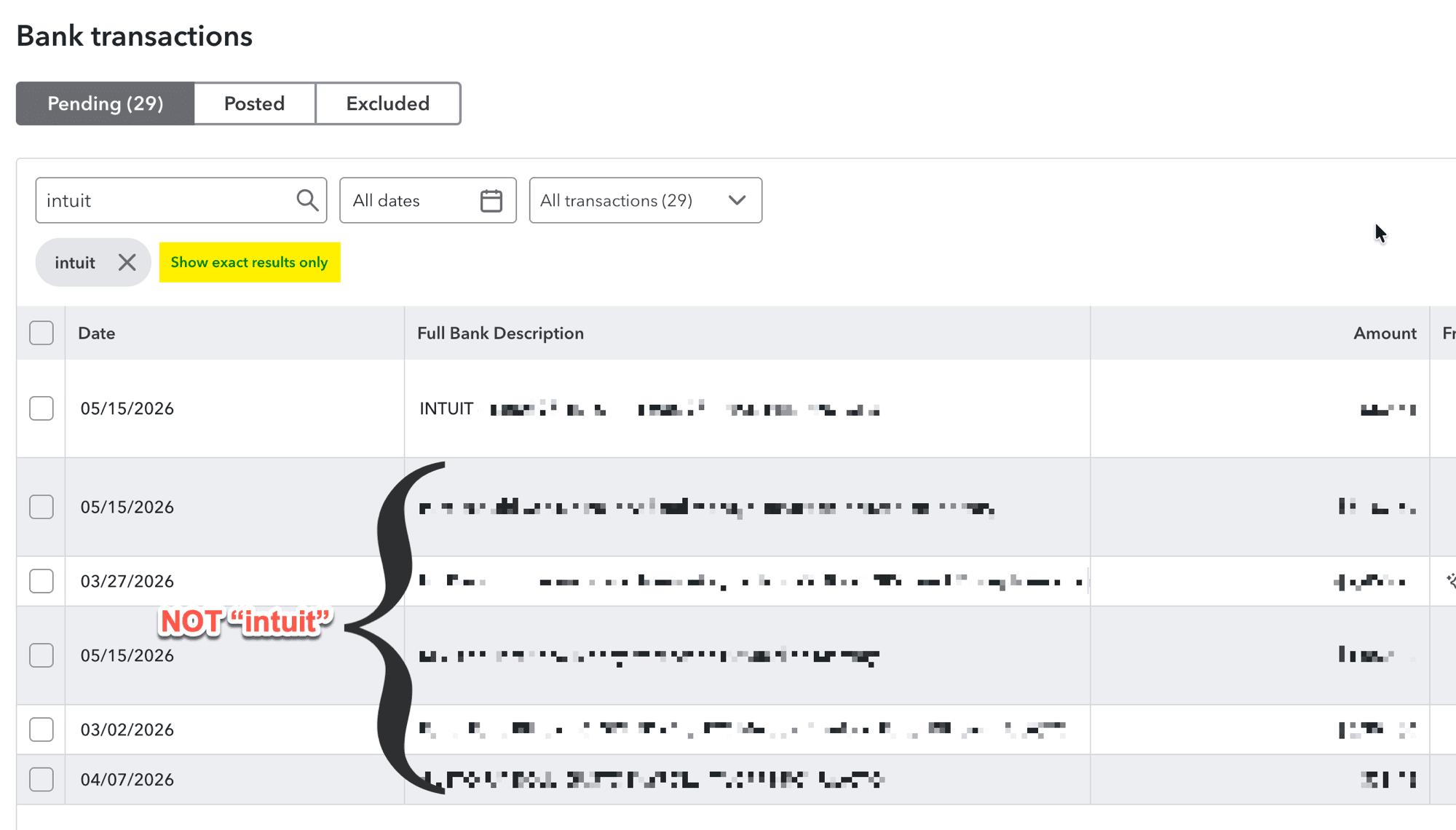
Fuzzy bank search
Bank transaction search shows exact matches automatically, no extra click.
Pricing
Install the extension, sign in with Google, then switch on the fixes you want. Cancel anytime.
Add to Chrome- Free
- $0
- 1 fix of your choice, no credit card
- Pro
- $5/month
- or $50/year. Every fix, including new ones as QBO changes.
You must have questions
Do you have access to my data?
Technically, any extension that changes a page can see that page, which is why Chrome asks before you install one. Fix Nonsense doesn't read, save or send anything from QuickBooks Online. Each fix knows where a piece of nonsense sits on the page and hides it. The only things that reach our server are your Google sign-in, which fixes you turned on and, if you pay, your Stripe subscription.
Can it change anything in my books?
No. Fix Nonsense never creates, edits or deletes anything in QuickBooks Online. Almost every fix just hides part of the page. The one exception clicks "Show exact results only" in bank transaction search for you, and only if you turn that fix on.
Which sites does it run on?
Only QuickBooks Online (qbo.intuit.com), Gmail and LinkedIn. It does nothing on any other site you visit.
What happens when Intuit changes QuickBooks Online?
Fixes live on our side, not inside the extension. When QBO moves something, we update the fix and your extension picks it up within a few minutes, with no Chrome update.
Can I turn a fix off?
Yes. Open the extension and untick the fix. Whatever it was hiding comes straight back.
Why do I sign in with Google?
So your fixes follow you to any computer where you use Chrome. Google gives us your name and email address, which we use only for your account. We don't sell or share them.
How much does it cost?
Free for 1 fix of your choice, with no credit card. Pro turns on every fix for $5/month or $50/year, and you can cancel anytime.
Does it work with QuickBooks Desktop?
No. It only works on QuickBooks Online, in Chrome.
Is Fix Nonsense made by Intuit?
No. It's an independent tool built by a small business owner who uses QuickBooks Online every day. It isn't affiliated with or endorsed by Intuit.
Something annoying is still showing. Can you fix it?
Probably. Send it through the contact form, ideally with a screenshot, and we'll look at adding a fix.
Also works on Gmail and LinkedIn
- Gmail: Hide Google Workspace security upsells in the inbox header.
- LinkedIn: Filter out feed posts that read like they were written by AI.
Want another app fixed? Tell us which one.